> For the complete documentation index, see [llms.txt](https://docs.deepform.net/llms.txt). Markdown versions of documentation pages are available by appending `.md` to page URLs; this page is available as [Markdown](https://docs.deepform.net/rhino-3d-modeling-guide/set-object-layers.md).
# Set Object Layers
We use layers to group masses. They can be used to assign programming to groups of masses, or even used to denote building groups in a multi-building design. However due to Rhino's ability to create incredibly deeply nested layers, we only take into consideration the last leaf layers.
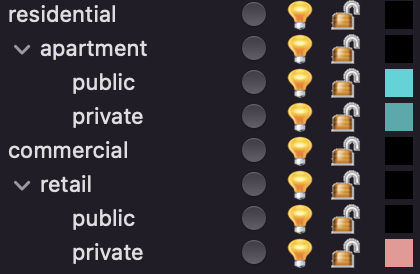
Consider the following layer settings below is a a very common pattern in layer settings with conceptual designs in Rhino.
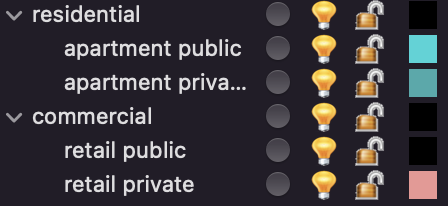
However since we cannot accommodate all layer settings patterns, we recommend you name your last level layers uniquely:
{% hint style="info" %}
We allow you to rename and group these levels so you can override them later in the exploration dashboard.
{% endhint %}